
 See Our Latest Article on HelloNation
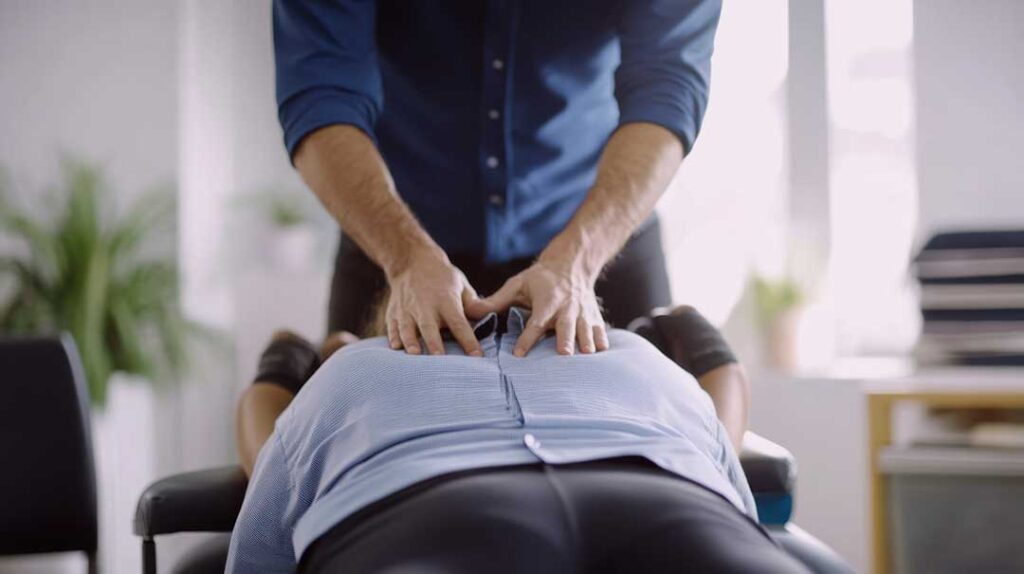
What Causes Tech Neck and How Does It Affect Local Residents?
Tech neck is a term used to describe pain, stiffness, and other discomforts in the neck and shoulders caused by prolonged forward head posture—often from looking down at phones, tablets, or computers. Residents in Orangetown, NY may notice this issue after long workdays, evenings spent streaming, or hours browsing devices at home. The risk is higher when screens are set below eye level or used for extended periods without movement.
In the community, this condition can show up as neck soreness, headaches, upper back tension, or even tingling in the arms. Many people overlook early symptoms, assuming they are normal effects of a busy schedule. Over months or years, however, slouched posture can contribute to chronic pain or limit comfortable movement.
Is Tech Neck Really Dangerous, or Just Uncomfortable?
Tech neck usually starts as a mild ache or tightness, but over time it can put extra strain on the spine and muscles. While it is rarely a medical emergency, ignoring it for months can worsen posture, reduce mobility, and trigger painful muscle knots. For some, it may even escalate to nerve irritation, leading to numbness or shooting pains.
Local chiropractors and physicians have seen an increase in these symptoms among adults who work from home and teens with frequent phone use. Tech neck may also make it harder to get quality sleep and can sometimes affect focus or stress levels.
What Steps Can Residents Take to Minimize Strain from Screens?
Making a few simple adjustments to daily habits and home setups can greatly reduce the risk of developing or worsening tech neck:
- Keep screens at or just below eye level, whether you're on a laptop or smartphone. If you use a desk at home, consider stacking books or using a stand to lift your monitor.
- Take frequent breaks—even 1-2 minutes every 30 minutes helps. Stand up, roll your shoulders, and gently stretch your neck.
- Practice good posture. Sit with your feet flat, shoulders back, and chin tucked in rather than jutting forward.
- Use both hands when holding a tablet or phone, and avoid cradling devices between your ear and shoulder.
- Adjust lighting to reduce glare, so you aren't leaning forward to see text clearly.
- Encourage kids and other family members to take "tech breaks" after extended device use.
There is no need for dramatic changes; consistent daily habits offer the clearest protection.
Are There Quick Exercises for Tech Neck That Can Be Done at Home?
Several easy movements can help counteract the effects of tech neck. For Orangetown households, these stretches require no special equipment:
- Chin tucks: Sitting or standing tall, gently pull your chin straight back—like making a double chin. Hold for 5 seconds, repeat several times.
- Shoulder blade squeezes: Draw your shoulders down and back, squeezing your shoulder blades together. Hold for 5-10 seconds.
- Gentle neck rolls: Lower your right ear toward your right shoulder, holding for a few breaths. Repeat on the left side.
- Chest stretches: Place your hands behind your head and gently press your elbows out, opening up the chest and shoulders.

These motions relax tense muscles and help the body adjust after long hours at a screen.
How Can Work-from-Home and School Environments in Orangetown Be Improved?
Many local residents use laptops or tablets at makeshift desks, kitchen tables, or couches. These spaces don’t always support good posture. Even small workplace changes at home can be helpful:
- Use a separate keyboard and mouse if working on a laptop, and prop the laptop on a box or books to bring the screen up.
- If the dining chair is hard or the seat too low, add a cushion for support and make sure your elbows rest at 90-degree angles.
- For children, ensure their screens are at eye level, and encourage them to switch positions during study breaks.
- In locations with colder weather, such as Orangetown, consider layering clothing in chilly rooms to avoid sitting stiffly in one position.
It’s normal to adapt spaces with what's available, but prioritize ergonomics wherever possible.
Are There Common Misconceptions About Preventing Tech Neck?
Some believe only adults who work long hours at computers are at risk, but teens and children are just as susceptible—especially during homework, gaming, or video chats. Others assume posture issues will resolve on their own, yet daily habits can either reinforce discomfort or gradually provide relief.
Another misconception is that only expensive ergonomic equipment will help. In reality, the most effective strategies involve awareness, regular movement, and small, thoughtful adjustments to routine behavior.
When Should Residents Seek In-Person Evaluation for Tech Neck Symptoms?
Most mild neck tension or soreness will improve with rest, stretches, and posture changes. If pain is severe, persistent, radiates into the arms or hands, or causes numbness or weakness, it’s important to have symptoms checked promptly.
For the majority of community members, however, awareness and preventive steps are key to avoiding long-term discomfort from daily screen habits.
